
Free security patrol log template
A patrol log is the record that a guard was at a site, when, and what they found. It's what you hand a client after an incident and what protects your company when someone claims a site wasn't checked. Below is a free template you can copy for mobile patrols and guard tours, plus guidance on filling it in so it's actually useful.
Download the template: PDF · Excel · CSV
What a good patrol log needs
Every entry should answer:
- Where: which site, and which part of it
- When: arrival and departure time
- Who: the guard (kept internal)
- What was checked: doors, gates, lights, alarms, perimeter
- What was found: normal, or details of anything unusual
- What was done: reported, called in, follow-up needed
Template: shift header
| Field | Entry |
|---|---|
| Date | |
| Guard name / ID | |
| Vehicle (mobile patrol) | |
| Shift start time | |
| Shift end time | |
| Supervisor |
Template: one row per stop
| # | Site | Arrival time | Departure time | Doors / gates secure? | Lights OK? | Alarm status | Observations | Action taken | Photo taken? |
|---|---|---|---|---|---|---|---|---|---|
| 1 | Y / N | Y / N | Y / N | ||||||
| 2 | Y / N | Y / N | Y / N | ||||||
| 3 | Y / N | Y / N | Y / N | ||||||
| 4 | Y / N | Y / N | Y / N | ||||||
| 5 | Y / N | Y / N | Y / N |
Template: incident follow-up
| Field | Entry |
|---|---|
| Stop # and site | |
| Time observed | |
| Description | |
| Who was notified, and when | |
| Police / fire / client file number | |
| Follow-up required |
Tips for patrol logs that hold up
Write times when they happen. Logs filled in at the end of a shift are the first thing a lawyer or client will question.
Be specific. "All OK" is weak. "Rear loading door locked, gate chained, lot lights on" is strong.
Photograph what matters. Locked doors, open gates, damage, unauthorized vehicles. A photo turns a note into evidence.
Note what you didn't check and why. Gate blocked, site inaccessible, construction fencing.
Keep personal details internal. Clients need proof of the patrol, not your guard's phone number.
How long to keep patrol logs
Keep logs for at least as long as your contracts, insurer or local rules require, and longer for any shift with an incident. Store them where they can't be quietly edited. If a client or insurer asks for a record from months ago, you want to find it in minutes, not dig through a box of clipboards in the back of the office.
The limits of a paper log
Paper and spreadsheet logs are better than nothing, but they share problems:
- The guard writes the time, so it can be guessed or filled in later
- Nothing verifies the guard was at the site
- You only see the log after the shift
- A skipped stop leaves a blank row that nobody notices until it matters
The same log, recorded with GPS
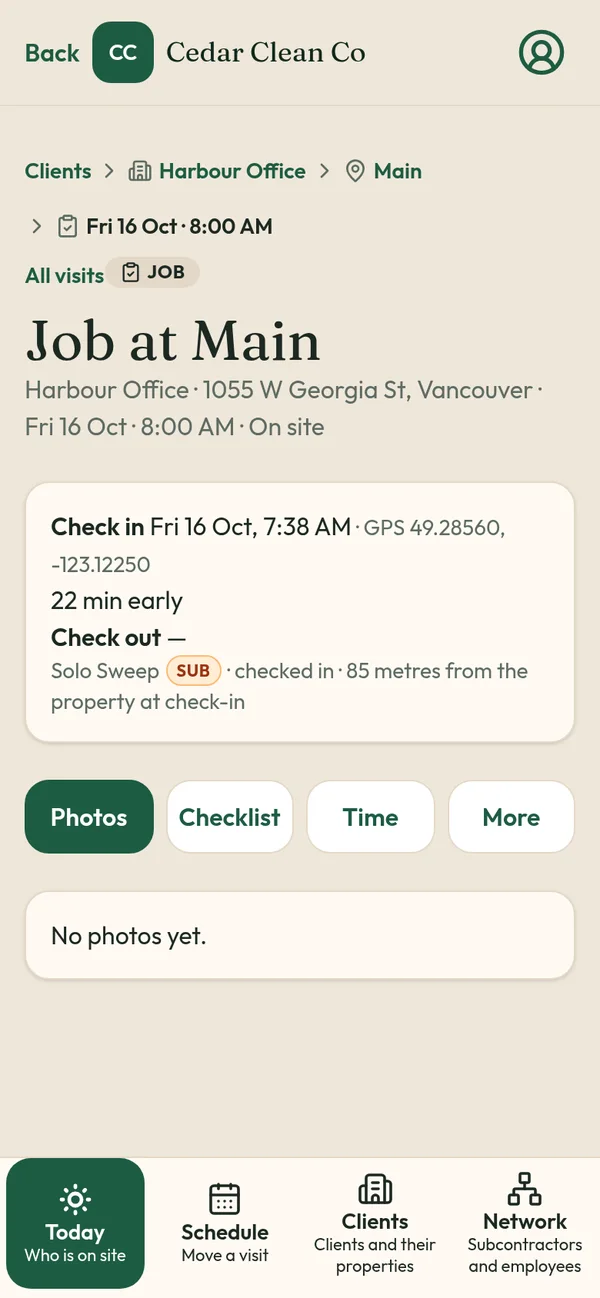
TeamProof records each patrol stop as a visit, using the same fields:
- Check in at the stop; location is checked against the site pin and the time recorded
- Photos of doors, gates and anything unusual, saved to the visit
- Checklist for that site: doors, gates, lights, alarm
- Check out, with location and time checked again
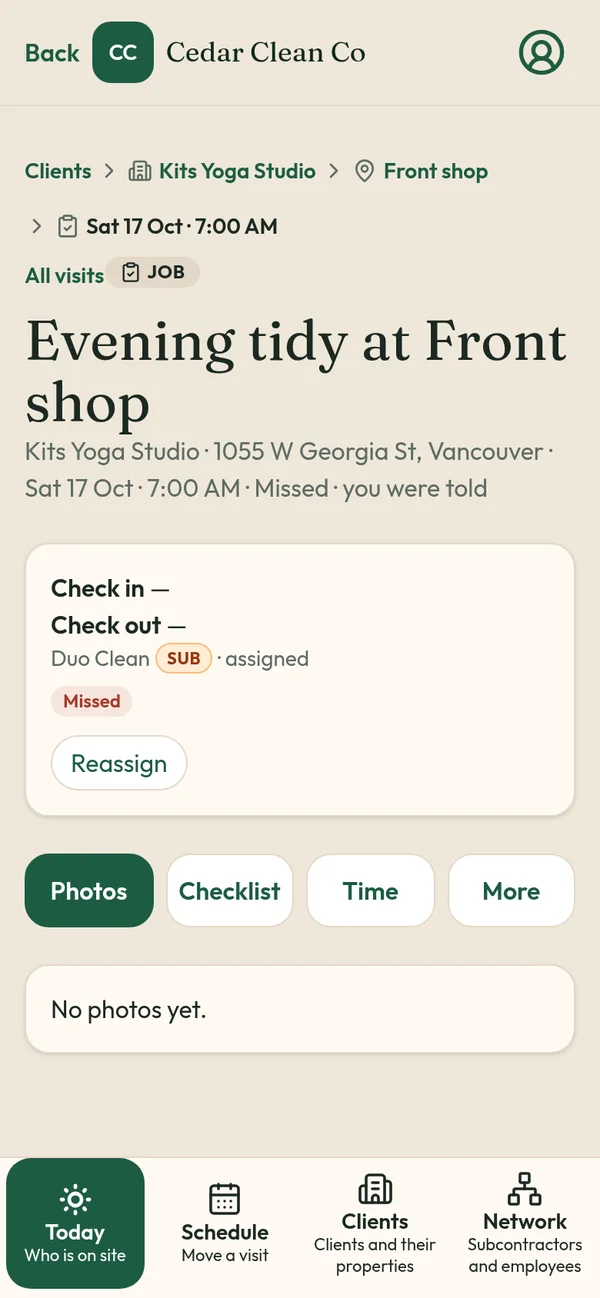
- Late reason if the stop is more than an hour off schedule
- Missed tag and email if a scheduled stop has no check-in an hour after its time
Clients get a private client visit report link showing their stops, without guard names, phones or pay. GPS is checked only at check-in and check-out, not all shift.
Related
- Mobile patrol proof of visit
- Security patrol proof
- Security guard tour app
- Missed visit alerts
- Janitorial checklist template
- Is GPS tracking employees legal in Canada?
TeamProof is one plan with everything included and unlimited guards (see current pricing). Start a 30-day free trial, no card to start.
Frequently asked questions
What should a security patrol log include?
Site, arrival and departure times, what was checked (doors, gates, lights, alarms), observations, actions taken and whether photos were taken.
Is this patrol log template free?
Yes. Copy it and adapt it for your sites.
How can I prove a patrol stop happened?
Record a GPS check-in and check-out at the site with photos, as TeamProof does, instead of a time written by hand.
What happens if a guard skips a stop in TeamProof?
One hour after the scheduled time with no check-in, the stop is tagged Missed and you get an email.
More ways to prove every visit
See how all features and simple pricing work for your sites.
- Office cleaning proof
- Commercial cleaning software Vancouver
- Airbnb turnover cleaning
- Mobile patrol app
- Snow plowing documentation
- Landscaping proof of service
- Medical office cleaning
- School cleaning
- Retail store cleaning
- Restaurant cleaning
- Post-construction cleaning
- Window cleaning
- Residential cleaning
- Security guard check-in
- HOA maintenance
- Facility management
- Building maintenance
- HVAC maintenance
- Lawn care
- Property management contractors
- Proof of service app
- Missed visit alerts
- Client visit report link
- Prove employees showed up
- GPS check-in app
- Proof of visit app
- Timestamped photo app
- GPS check-in without tracking
- Verify cleaners cleaned
- Stop no-show employees
- Win janitorial contracts
- Prove a security patrol happened
- Janitorial quality control
- Works alongside Jobber
- Is GPS tracking employees legal in Canada?