
A client visit report they can open themselves
Most cleaning and service reports are written after the fact. Someone types up a summary, attaches a few photos from a group chat, and emails it at the end of the month. By then the client has already formed an opinion.
TeamProof does it differently. Every visit creates its own record, and your client gets a private link where they can see their visits as they happen. No PDF to build, no chasing the crew for pictures.
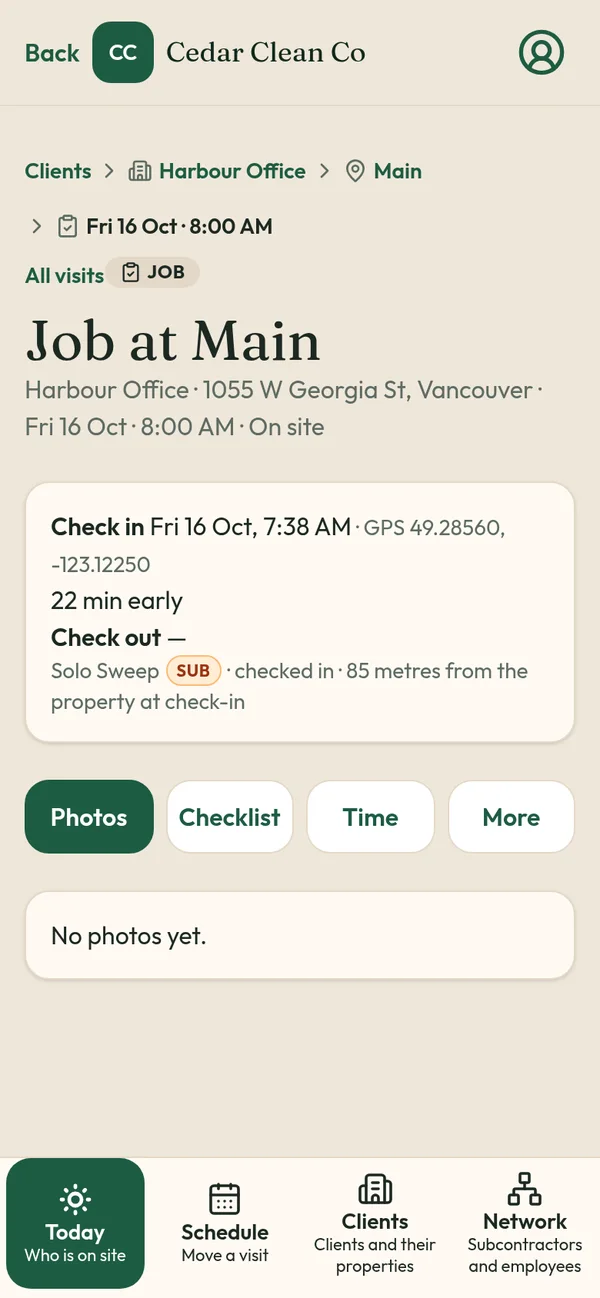
What the client sees
For each visit at their property:
- Check-in and check-out times
- GPS confirmation that check-in and check-out happened at the site pin
- Before and after photos, saved to the visit
- The visit history, so they can look back at any night
What the client never sees
TeamProof is private by default. Clients never see your workers' names, phone numbers or pay. They also don't see whether a visit was done by your own crew or a subcontractor. That protects your team, and it protects your business: a client can't take your best cleaner's number and hire them directly.
Why a link beats a monthly report
It answers questions before they're asked. A property manager who can open the link at 8 AM doesn't need to call you.
It's the same record you see. There's no separate "client version" that someone has to prepare and could get wrong.
It forwards cleanly. Strata managers and facility managers often answer to someone else, like a council, an owner or head office. A link is easy to pass along.
We wrote more about this in what property managers want in a cleaning report.
A dispute, handled
A client emails: "Was the boardroom done Tuesday?" Without proof, you ask your supervisor, who asks the cleaner, who doesn't remember which night. With TeamProof, you open Tuesday's visit, see the check-in at the pin, the time on site and the after photos, and reply in a minute, or the client checks the link and never emails at all.
How it fits the rest of TeamProof
The link is the outward face of the visit record:
- A worker checks in with phone and PIN; location is checked against the site pin.
- They take before and after photos and work the checklist.
- They check out; location is checked again.
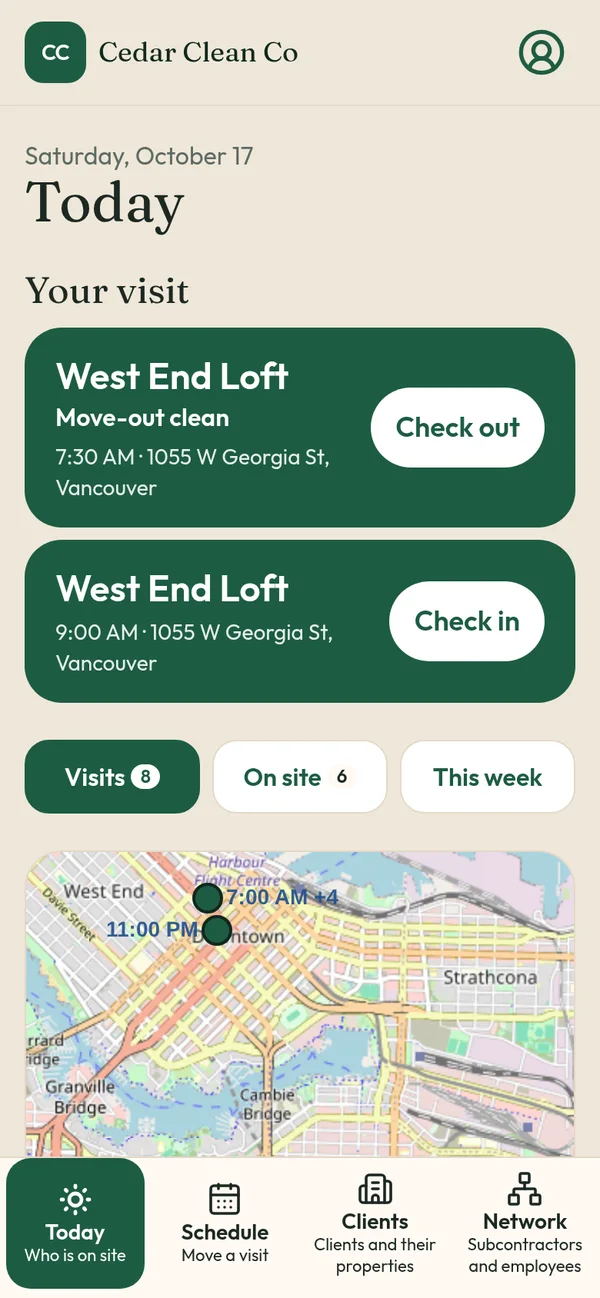
- The visit shows on your Today screen and on the client's link.
If a visit doesn't start, you get a missed visit alert an hour after the start time, so you can fix it before the client ever opens the link.
Who it's for
- Commercial and office cleaning companies with property manager clients
- Property managers who want vendor visits verified
- Mobile patrol companies proving stops to clients
- Strata cleaning contractors reporting to councils
- Snow removal operators keeping records for winter
Setting it up
There's nothing extra to build. Once a client's property is pinned and its schedule is set, every visit your crew completes there is added to that client's record. Share the private link with the person who needs it, such as the office manager, the strata manager or the facility lead, and it keeps itself up to date after every check-out.
Limits worth knowing
The link shows what was recorded: times, GPS at check-in and check-out, and the photos the crew took. It doesn't include invoices; invoicing and payments are coming soon. The quality of the photos depends on your checklist, so tell crews what to shoot. Our janitorial checklist template is a good start.
Where it came from
Sweepy Maids, the Metro Vancouver cleaning company where TeamProof was built, uses client links with its commercial clients every day. See the case study.
Price
Client links are included in the one plan (see current pricing), unlimited workers, 30 days free without a card.
Related: Proof of service app · How to prove employees showed up · Commercial cleaning software in Vancouver
Frequently asked questions
What's in a TeamProof client visit report?
Check-in and check-out times, GPS confirmation at the site pin and before and after photos for each visit.
Can clients see who did the work?
No. Clients never see worker names, phone numbers or pay.
Do clients need an account?
They open a private link to their visits.
Is the client link an extra cost?
No. It's included in the one plan (see current pricing).
More ways to prove every visit
See how all features and simple pricing work for your sites.
- Office cleaning proof
- Commercial cleaning software Vancouver
- Airbnb turnover cleaning
- Mobile patrol app
- Snow plowing documentation
- Landscaping proof of service
- Medical office cleaning
- School cleaning
- Retail store cleaning
- Restaurant cleaning
- Post-construction cleaning
- Window cleaning
- Residential cleaning
- Security guard check-in
- HOA maintenance
- Facility management
- Building maintenance
- HVAC maintenance
- Lawn care