
Missed visit alerts: find out about the no-show before your client does
Every service owner knows the call. It's 8:30 in the morning, and a property manager is asking why the office wasn't cleaned, or why no one plowed the lot. You didn't know, because nothing told you. The crew didn't call. The schedule still showed the visit as planned.
Missed visit alerts fix that gap. TeamProof watches your schedule, and when a visit should have started but nobody has checked in, it tells you.
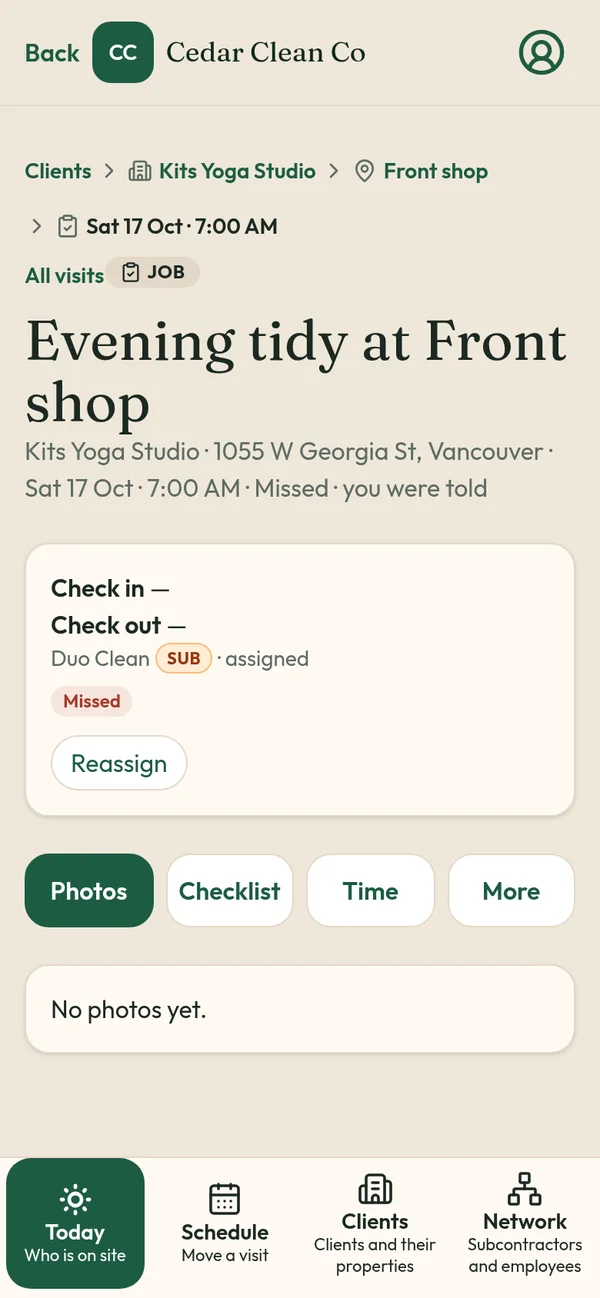
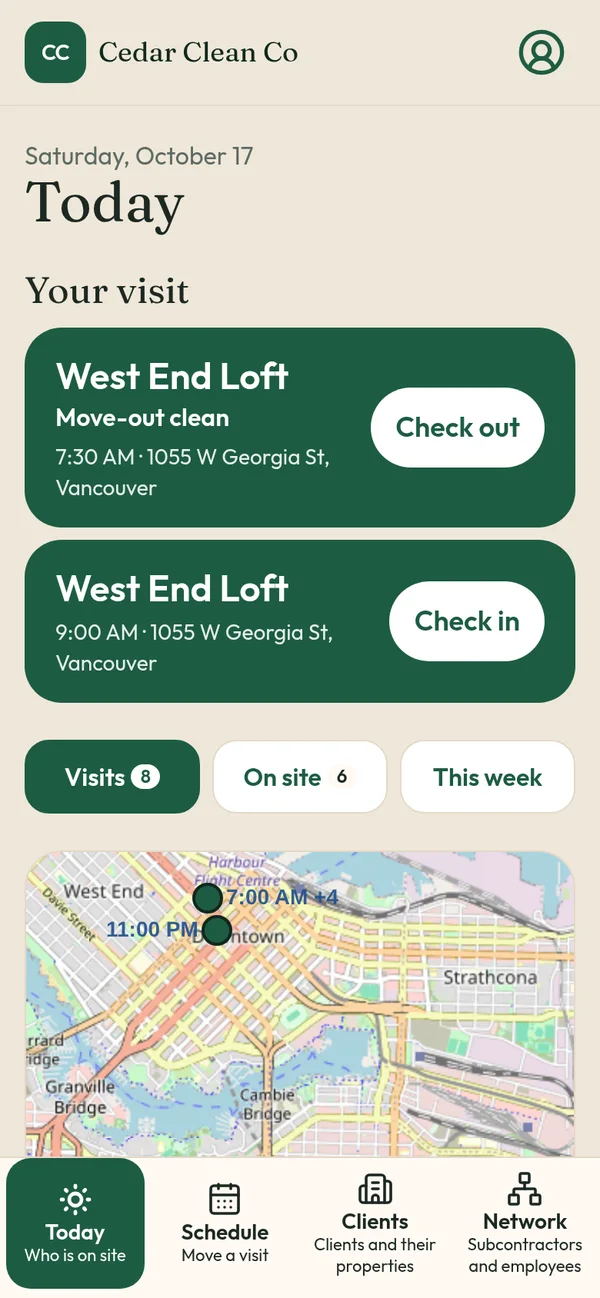
How the alert works
- The visit is scheduled. Each property has a schedule (fixed, flexible or overnight) with a start time and an assigned worker or subcontractor.
- The clock runs. TeamProof waits one hour from the scheduled start.
- No check-in? It's tagged. If no one has checked in at the site by then, the visit gets a Missed tag on your Today screen.
- You get an email. The alert goes to you, so you see it even if you're not watching the app.
- You act from the visit. Reassign it to someone else straight from the visit. On the alert card you can also call, text or nudge the worker.
Why one hour
Real crews run late. Traffic, an earlier site overrunning, a slow elevator. An alert at five minutes late would bury you in noise. One hour is the point where "late" usually means "not coming," and there's still time to send someone else on a night clean.
TeamProof also allows early and late check-ins. If someone checks in more than an hour away from the start, they pick a short reason, and that reason stays on your office screens.
What it looks like at night
Say a 9:00 PM clean is booked at a medical office. By 10:00 PM there's no check-in at that pin. The visit turns Missed, you get the email, and you can call the cleaner or reassign it to someone nearby. If they reply that they forgot to check in, you'll see that too, rather than finding out the next morning.
Missed visits and subcontractors
The no-show problem is worse when the visit belongs to a sub's crew, because you're one step further away. In TeamProof, visits you pass to a subcontractor still have the same schedule and the same Missed logic. Subs join free and see only their own visits and price. See subcontractor verification.
Where alerts matter most
- Office cleaning at night, when nobody's in the building to notice
- Mobile patrol, where a skipped stop is a contract risk
- Snow plowing, where a missed lot can lead to a slip claim
- Airbnb turnovers, where guests arrive on a fixed time
- Home care, where a missed visit affects a person
What alerts don't do
They don't guess. A Missed tag means no check-in was recorded at the site within an hour of start. It's not a judgment on the worker; it's a prompt to find out. Alerts also depend on the schedule being right, so it's worth keeping one-off changes up to date. TeamProof lets you change one day and keep the rest.
Pair alerts with proof
Missed alerts tell you about the visits that didn't happen. Proof covers the visits that did: GPS at check-in and check-out against the site pin, before and after photos and the checklist. Together they mean you can answer a client about any night, either way. See proof of service app and client visit report link.
Built from a real problem
TeamProof came from Sweepy Maids, a Metro Vancouver cleaning company where the morning "nobody came" call was the problem to solve. Read how it's used.
Price
Missed alerts are included in the single plan (see current pricing), with unlimited workers, 30 days free without a card.
Start free and set up your first site
Related: How to prove employees showed up to a job site · Jobber alternative · TeamProof vs CompanyCam
Frequently asked questions
When does TeamProof send a missed visit alert?
One hour after a scheduled start time with no check-in. The visit gets a Missed tag and you get an email.
Who gets the alert?
The owner gets the email, and the Missed tag shows on the office Today screen.
Can I reassign a missed visit?
Yes, straight from the visit.
Do missed alerts work for subcontractor visits?
Yes. Visits passed to subs follow the same schedule and Missed rules.
More ways to prove every visit
See how all features and simple pricing work for your sites.
- Office cleaning proof
- Commercial cleaning software Vancouver
- Airbnb turnover cleaning
- Mobile patrol app
- Snow plowing documentation
- Landscaping proof of service
- Medical office cleaning
- School cleaning
- Retail store cleaning
- Restaurant cleaning
- Post-construction cleaning
- Window cleaning
- Residential cleaning
- Security guard check-in
- HOA maintenance
- Facility management
- Building maintenance
- HVAC maintenance
- Lawn care