
Free janitorial checklist template
A good janitorial checklist does two jobs. It tells the cleaner exactly what to do at this building, and it gives the owner something to point to when a client asks what was done. Below is a free template you can copy, organized by area and frequency, with a column for which items are worth photographing.
We built it from the checklists used on commercial cleans at Sweepy Maids in Metro Vancouver. Adjust it per site; no two buildings are the same.
Download the template: PDF · Excel · CSV
How to use this template
- Copy the tables into your own document or spreadsheet.
- Delete what doesn't apply to the building.
- Add site-specific items: alarm codes procedure, a specific tenant's kitchen, a loading dock.
- Mark photo items. Pick 5 to 10 that best prove the clean. Fewer, better photos beat 50 random ones.
- Review it with the client so you agree on scope before the first complaint.
Nightly tasks
| Area | Task | Photo? |
|---|---|---|
| Entrance and lobby | Vacuum or mop entry, clean entry mats | Yes, after |
| Entrance and lobby | Clean glass doors and touchpoints | |
| Entrance and lobby | Empty garbage and recycling | |
| Washrooms | Clean and disinfect toilets, urinals, sinks | Yes, after |
| Washrooms | Refill soap, paper towel, toilet paper | Yes, supply shelf |
| Washrooms | Mop floors | |
| Kitchen or break room | Wipe counters, sink, tables | Yes, after |
| Kitchen or break room | Empty garbage, compost, recycling | |
| Kitchen or break room | Load or run dishwasher if in scope | |
| Offices and open areas | Empty garbage and recycling at desks | |
| Offices and open areas | Vacuum high-traffic carpet | |
| Offices and open areas | Wipe shared surfaces and touchpoints | |
| Boardroom | Wipe table, reset chairs, clean whiteboard if in scope | Yes, after |
| Garbage area | Bags to bins, area tidy | Yes, after |
| Close up | Lights off, windows closed, doors locked, alarm set | Yes, locked door |
Weekly tasks
| Area | Task | Photo? |
|---|---|---|
| All floors | Full vacuum including under desks | |
| Hard floors | Machine scrub or deep mop | Yes, before and after |
| Kitchen | Clean microwave and fridge exterior | |
| Washrooms | Descale fixtures, clean partitions | |
| Offices | Dust ledges, sills and vents | |
| Glass | Interior partitions and glass walls |
Monthly or periodic tasks
| Area | Task | Photo? |
|---|---|---|
| Carpet | Spot treatment or extraction | Yes, before and after |
| High dusting | Vents, light fixtures, top of cabinets | |
| Fridge | Clean out (with client's agreement) | |
| Hard floors | Strip and refinish if in scope | Yes, before and after |
Why the photo column matters
When a property manager says the washrooms weren't done, the checklist tells you the task was assigned. Only a photo shows it was finished. Picking a few photo items per site keeps the crew fast and gives you proof where complaints actually happen: entrances, washrooms, kitchens and garbage.
Paper checklist vs. TeamProof
A paper or spreadsheet checklist works, but it has limits: it's ticked by the person being checked, you see it only when you collect it, and it doesn't prove when or where it was filled in.
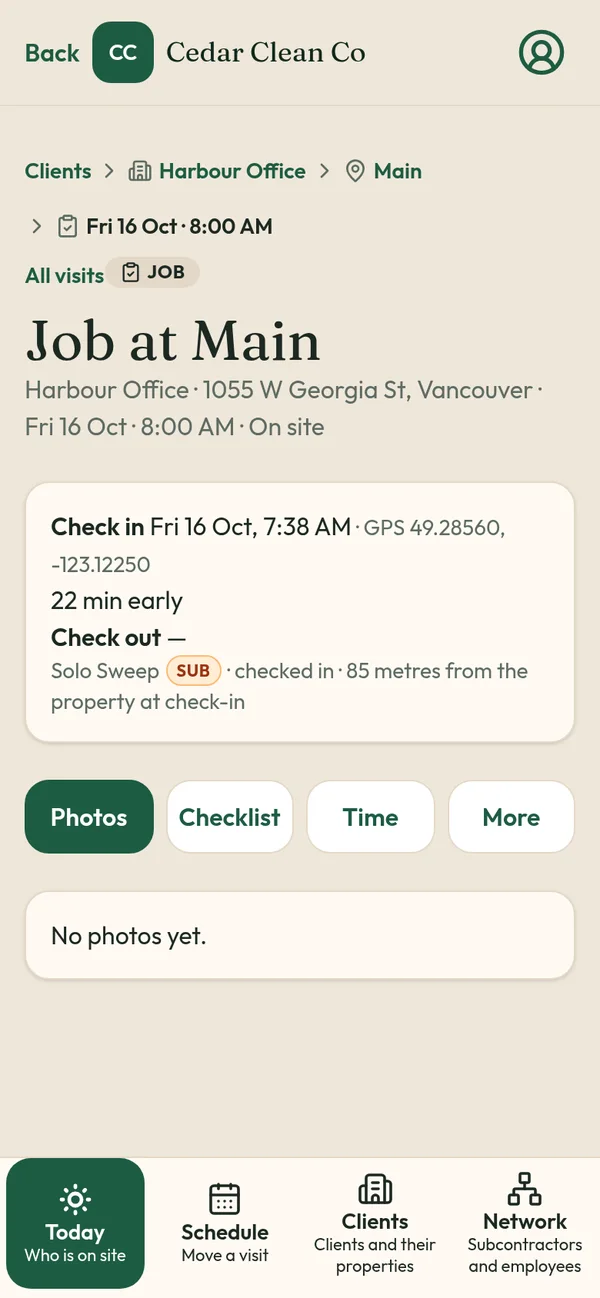
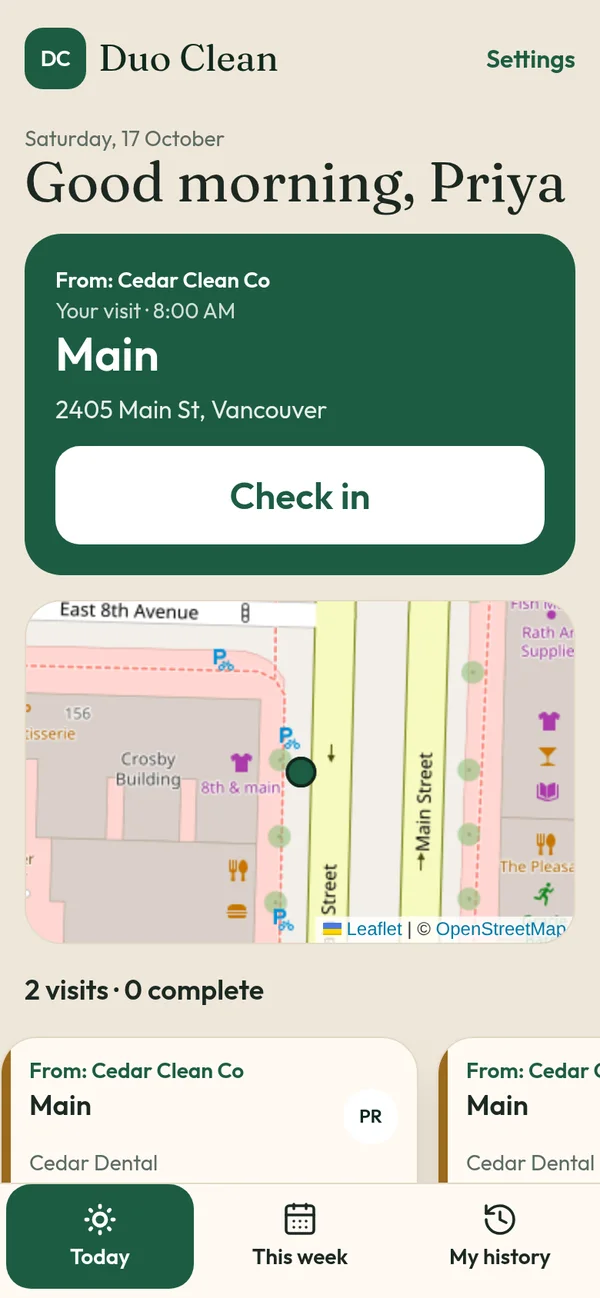
TeamProof puts this same checklist on the cleaner's phone as part of each visit:
- Check in at the building, with location checked against the site pin
- Before photos, checklist, after photos, saved to the visit
- Check out, with location checked again
- The client can see times, GPS and photos through a private client visit report link
- If the clean doesn't start, you get a missed visit alert an hour later
Worker screens come in English, Punjabi and Hindi, and never show prices.
Related
- Office cleaning proof of visit
- Commercial cleaning software in Vancouver
- Best janitorial software in Canada
- Security patrol log template
- How to prove night cleaners showed up
- Janitorial GPS check-in app
TeamProof is one plan with everything included and unlimited workers (see current pricing). Try it free for 30 days, no card needed.
Frequently asked questions
What should a janitorial checklist include?
Tasks by area (entrance, washrooms, kitchen, offices, garbage, close-up) and by frequency (nightly, weekly, monthly), plus which tasks to photograph.
How many photos should cleaners take?
Usually 5 to 10 well-chosen photos per visit, focused on the areas clients complain about most.
Is this checklist free to use?
Yes. Copy it and adapt it for each building.
Can I use this checklist in TeamProof?
Yes. Add the items as the site's checklist, and cleaners tick them on each visit alongside GPS check-in and photos.
More ways to prove every visit
See how all features and simple pricing work for your sites.
- Office cleaning proof
- Commercial cleaning software Vancouver
- Airbnb turnover cleaning
- Mobile patrol app
- Snow plowing documentation
- Landscaping proof of service
- Medical office cleaning
- School cleaning
- Retail store cleaning
- Restaurant cleaning
- Post-construction cleaning
- Window cleaning
- Residential cleaning
- Security guard check-in
- HOA maintenance
- Facility management
- Building maintenance
- HVAC maintenance
- Lawn care
- Property management contractors
- Proof of service app
- Missed visit alerts
- Client visit report link
- Prove employees showed up
- GPS check-in app
- Proof of visit app
- Timestamped photo app
- GPS check-in without tracking
- Verify cleaners cleaned
- Stop no-show employees
- Win janitorial contracts
- Prove a security patrol happened
- Janitorial quality control
- Works alongside Jobber
- Is GPS tracking employees legal in Canada?